How does … work?
TrainGenerator
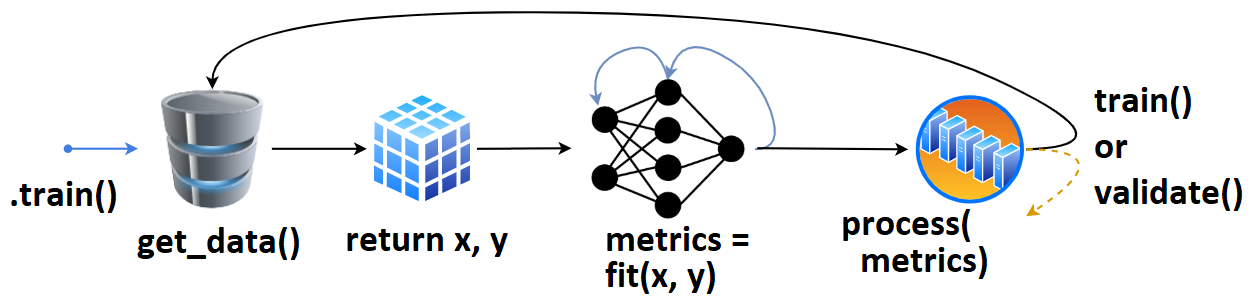
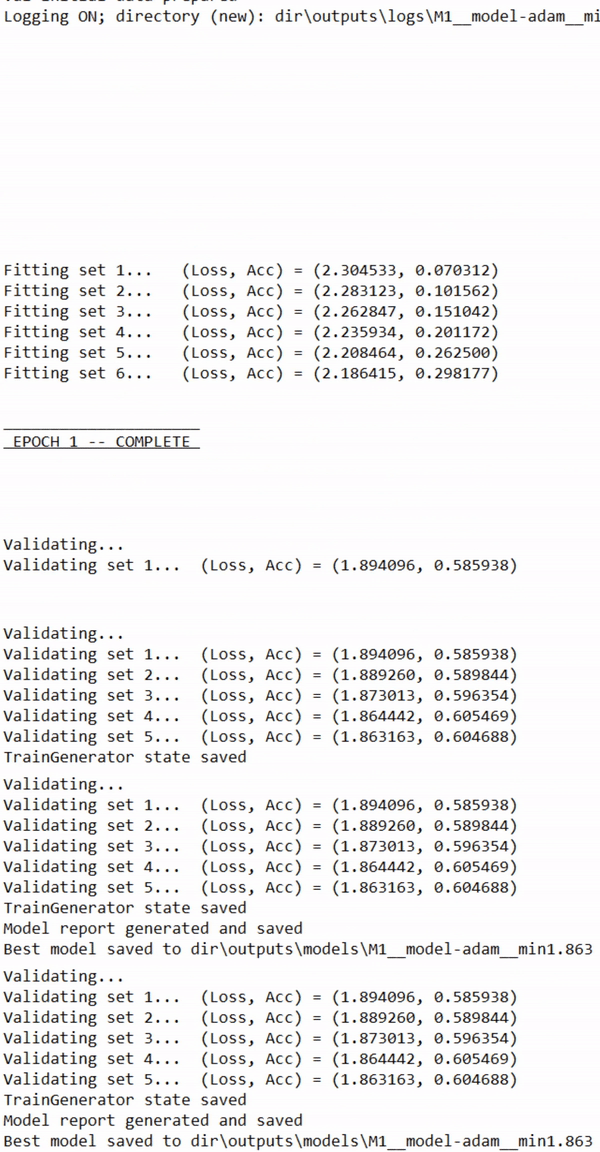
- User defines
tg = TrainGenerator(**configs),- calls
tg.train().get_data()is called, returning data & labels,- fed to
model.fit(), returningmetrics,- which are then printed, recorded.
- The loop repeats, or
validate()is called.
Once validate() finishes, training may checkpoint, and train() is called again. That’s the (simlpified) high-level overview.
Callbacks and other behavior can be configured for every stage of training.
DataGenerator
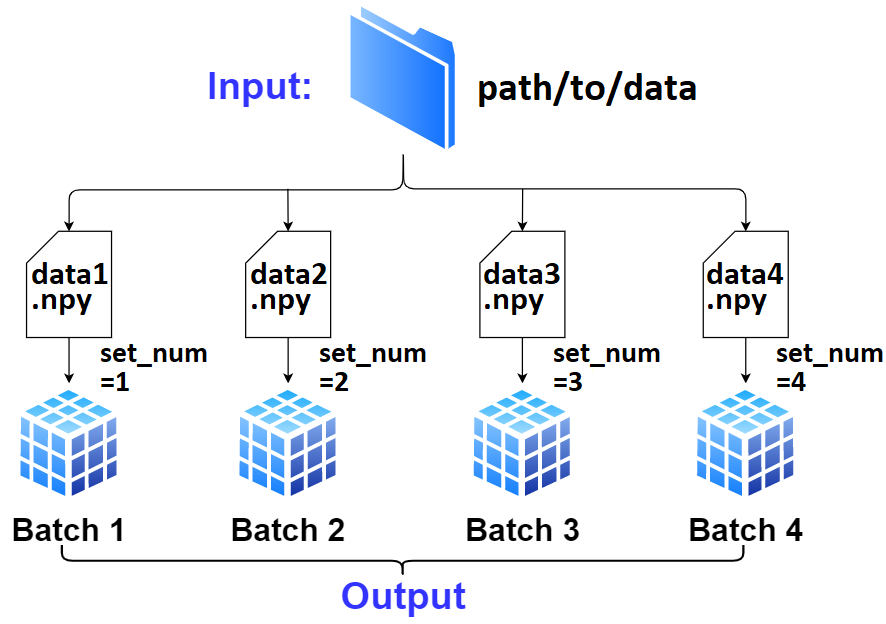
User defines
dg = DataGenerator(**configs).If not specified,
dginfers the number of batches, file extension, data loader, and other necessary info solely fromdata_path/labels_path; this is “AutoData”.
- Only required is proper file naming; there’s to be a “common” off of which
dgcan enlistset_nums, which is how it tracks all data internally.- Exception to above is if the path is to a single file containing all data; see
DataGenerator().Data (
x) and labels (y) can be fetched withDataGenerator.get(); by default it’ll validate the batch and reset necessary attributes in case data “runs out” - to prevent this, passskip_validation=True.To move on to next batch (which
.get()won’t do automatically), callDataGenerator.advance_batch().The getting, advancing, and resetting is handled automatically within
TrainGenerator.train()andTrainGenerator.validate()at various stages.
DataLoader
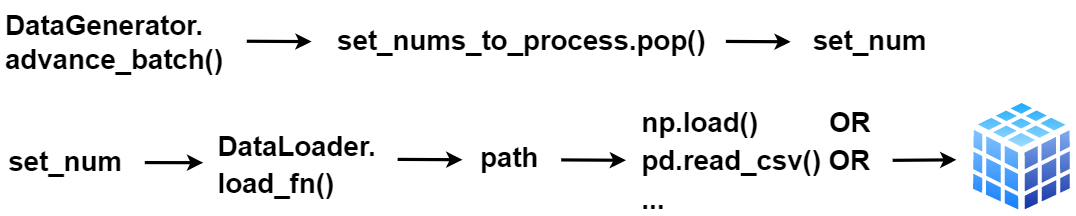
DataGenerator()is a “middle-man” betweenTrainGenerator()and the data, orchestrating which data is fetched at a point in training.- The actual loading is handled by
DataLoader(), with the customizableDataLoader.load_fn().